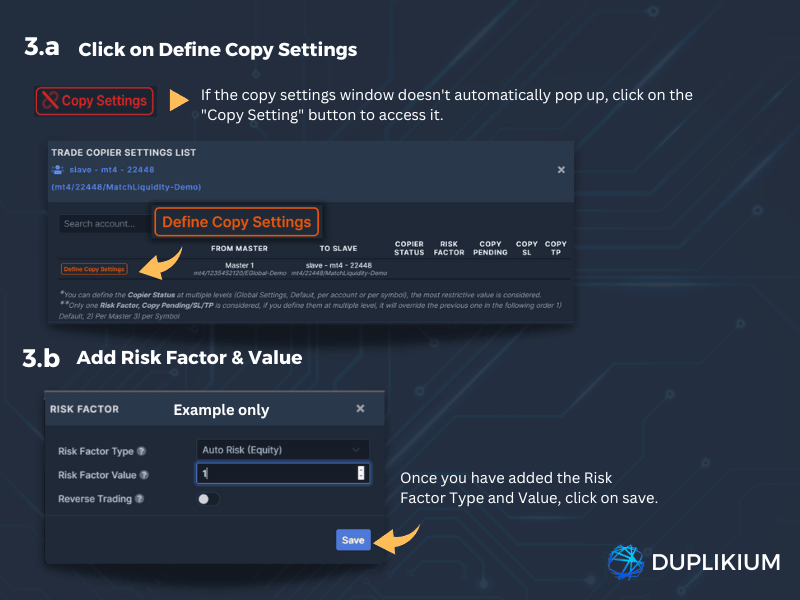
- 3.a Please note that you can set the Risk Factor on the Master or Slave copier settings. Both views are synced. Click on the Copy Setting button on the left-hand side of your Master or Slave account.
- 3.b: A small window will pop up then click on the Define Copy Settings button and set the Risk Factor.
- If you have multiple Master accounts, and you wish the Slave to have the same risk factor for all Masters, you can define the risk factor on the Slave copier settings → All Masters, otherwise, you can define it by Master or Slave in the copier settings.
Learn more about the available Risk factor here.