Welcome in your Cockpit!
From here you are invited to configure your Master account in order to start to copy trades.
First, you need to add a Master account, just click on "Add New Master" in the tab "Masters -> Accounts".

You are prompted to fill out the "Create a new Master" form, just provide your credentials details as follows: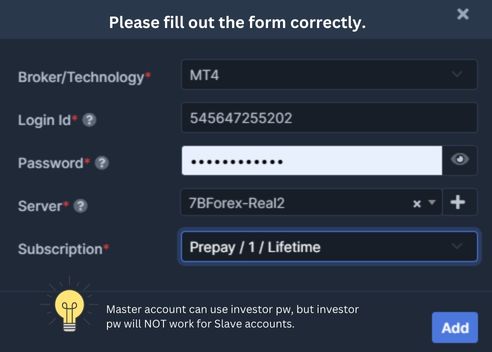
- Custom Name: this is the name used to identify your Master in the cockpit
- Broker/Technology: select the technology or broker use to connect to your account (MT4, MT5, cTrader, DXtrade, Tradovate/NinjaTrader, FXCM, LMAX, FIX API, Fortex)
- Login: this is the login use to connect to your account on the platform of your broker
- Password: enter here your broker account password, it can be your Investor password
- Server: this is your broker account server
Once all information entered correctly, you can confirm the creation of your new Master! You are now ready to manage your Follower.