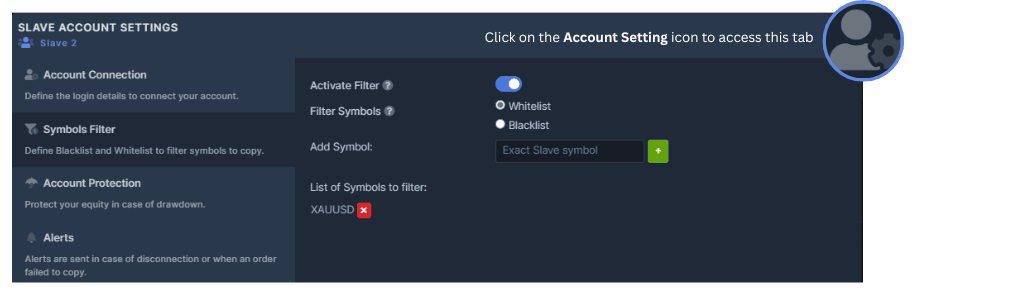
If you wish to block a symbol or set of symbols from getting copied or define specific symbols you ONLY want to copy, the Symbols Filter is where you will define them. The Blacklist and the Whitelist can be set up on the Master or on the Slave.
We offer you two options to filter the symbols that need or do not need to be copied:
- Blacklist: it will exclude from the copy all the symbols defined in the Blacklist.
- Whitelist: it will only copy the symbols that are defined in the Whitelist.
How to Blacklist or Whitelist Symbols:
- Enter the symbol you wish to Blacklist OR Whitelist and click the add button. Please note that you have to enter the exact symbol (case sensitive) of the Master or the Slave for this to work properly.
- Toggle the Whitelist OR Blacklist button, whichever applies to you.
- Toggle the Activate Filter button.