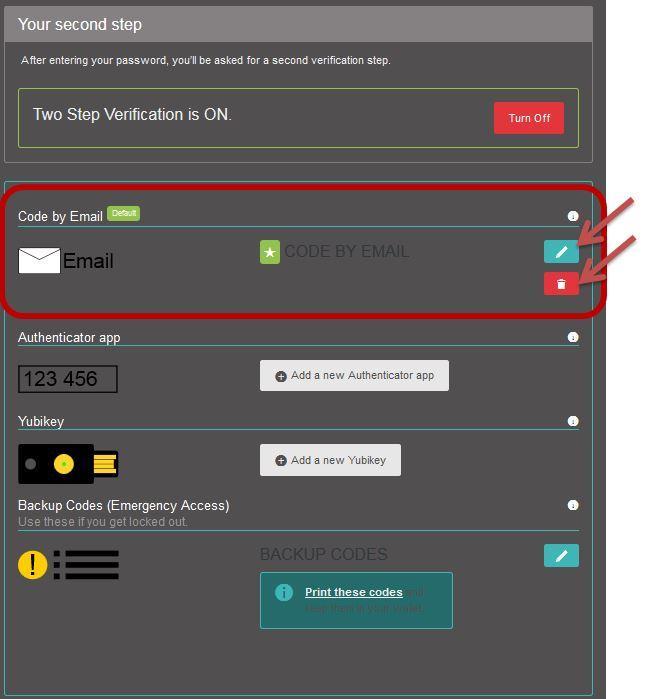
You can set up Two-Factor Authentication (2FA) to receive a 6-digit code by email, this means that at every logging you will receive a code by email and be prompted to enter it in order to log in to your cockpit.
How you can set Code By Email.
- Go to your 2FA Settings and click on “Code By Email”.
- You can indicate a friendly title for this 2FA method (you will see it when logging in so don't put any secrets in it). Then you have to indicate if this should be the default 2FA when you log in to the site, we recommend ticking this option.
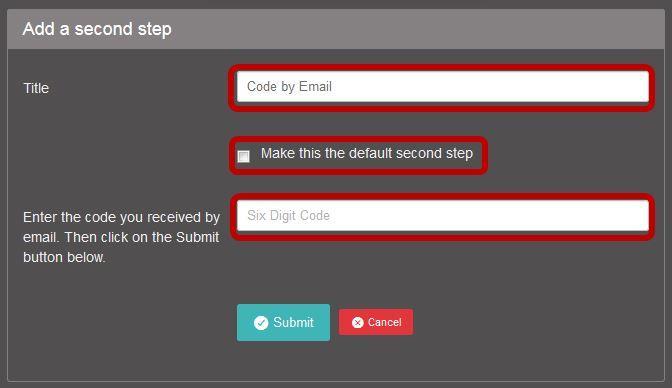
- An email will be sent to the email address you used when creating your profile. Copy the 6-digit code. If you did not receive an email, please check your email by going to your profile account.
- Go back to your cockpit & your 6-digit code.
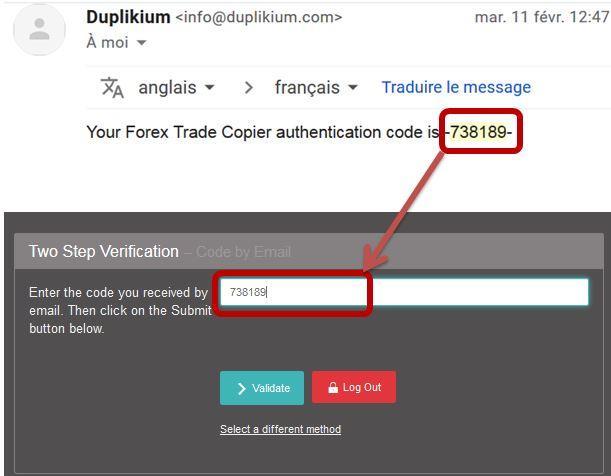
- Click on submit.
To edit
Go to Code By email page and click on the edit icon.
To delete/turn it off
Click on the trash icon on the Code by email page.