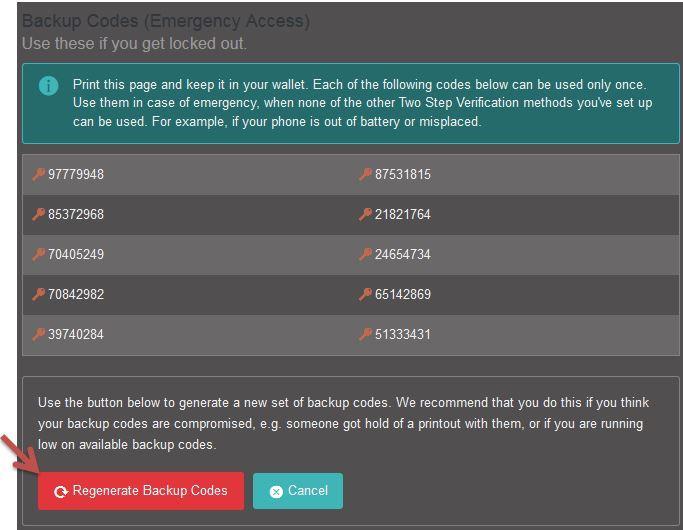
Backup Codes could be used in case of emergency access if you get locked out. Each of the listed codes can be used only once, you can use them in case of emergency when none of the other Two Factor Authentication methods you've set up can be used. For example, if your phone is out of battery or misplaced.
How to set up Backup Codes
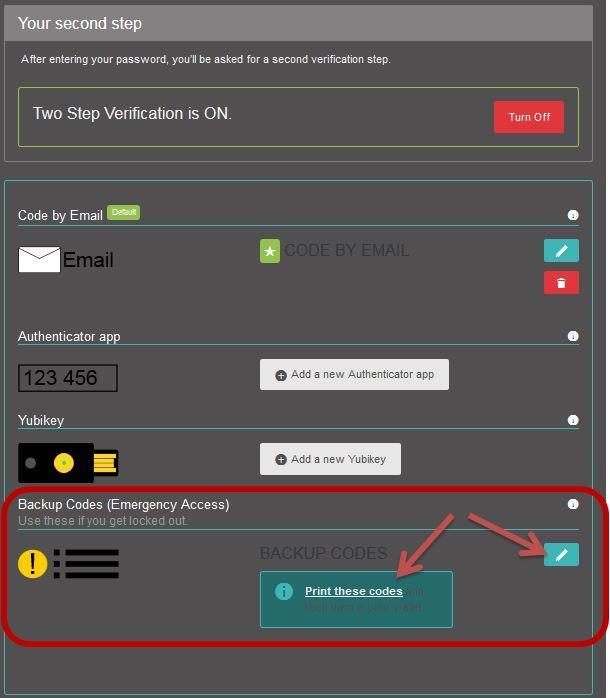
1. Go to your 2FA Settings and click on “Backup Codes”.
2. A new window pop up then print/copy the codes list and save them in a secure place.
3. We recommend generating a new set of backup codes regularly to avoid any abuse or if you think your backup codes are compromised, e.g. someone got hold of a printout with them, or if you are running low on available backup codes.